
Define Your Maintenance Management Goals

Maintenance professionals are busy people, which often makes it hard to find time to look at the bigger picture. But if you don’t know where you want to go, you can’t move forward. MPulse can help you define your maintenance management goals and build processes in the database to support them. Maintenance management goals can be big or small. Either way, you need to pick goals that are achievable. MPulse customers offered some great suggestions for maintenance management goals. Some you may have already done. Some you might do later. Pick one or two, and start there. Document Maintenance Activities Recording maintenance tasks, activities, repairs, and information in CMMS software is the first step when you are just starting out. You can’t measure anything until you have something to measure. You also want to document maintenance tasks for regulatory compliance. Plan Preventive maintenance tasks are usually the first thing maintenance professionals think about. But planning applies to everything from scheduling to staffing to purchasing to asset disposal. A goal without a plan is just wishful thinking. Make Resources Easily Accessible Don’t waste time looking for stuff. Keep the things your team needs (historical records, part information, vendor contact details, manuals, etc.) in easy-to-find places, like your CMMS database. Automate Put your available tools to work for you. Use your CMMS software to automate the tedious stuff (data entry, email, request approval), so you and your team can focus on more important things. Link Parts Inventory is hard, but the first step is simple. Link parts with your work orders (and your assets), and you are on your way to bigger goals like controlling the cost of maintenance. Train Your Staff Training is the fastest way to improve your maintenance team’s efficiency and get the best return on investment (ROI). And don’t forget about training yourself as well. The payoff is far greater than the cost. Control Costs Perhaps the biggest—and most universal—goal of all is controlling costs. CMMS helps you capture key data and turns it into reliable information to help make cost-effective choices about asset management. As you move forward, you’ll likely ask different questions and get to bigger goals. As your goals change, your team changes, and your organization changes, adjust your maintenance goals to fit. Have questions? We have answers. Leave a comment or contact us.
What is Corrective Maintenance and When Should You Use It?

Corrective maintenance doesn’t always get the attention it deserves. It’s closely related to proactive strategies like preventive maintenance (PM) and predictive maintenance (PdM). But it offers additional benefits that can improve the productivity and efficiency of your maintenance team. What is Corrective Maintenance? Maintenance professionals perform corrective maintenance in order to rectify and repair faulty systems and equipment. The goal is to restore something that’s broken to full operation. Corrective maintenance occurs when a technician finds a problem during a scheduled PM or PdM task. If the issue is quick and easy to fix, the technician may repair it at the same time as part of the preventive maintenance task. However, if it’s more complicated, your tech will create a separate work order, and it becomes a corrective maintenance task. Some MPulse customers also call it “repair from PM.” What’s the Difference Between Preventive and Corrective Maintenance? PM is triggered by time, meter, or event. Preventive maintenance prevents breakdowns by performing maintenance based on average or expected life statistics (usually determined by the equipment manufacturer or vendor). The most common example is changing the oil in a car every X,000 miles or every X months. Maintenance shops use CMMS software to set up scheduled preventive maintenance tasks, preventing failure and prolonging asset life cycles. However, if you need to schedule a future repair, it becomes corrective maintenance. During this corrective maintenance task, the team will repair, restore, or replace the asset. When Do I Use Corrective Maintenance? Safety inspections are common PMs that can result in corrective maintenance. During the inspection, the technician will spot an issue that could cause a breakdown or fault in the equipment. The issue hasn’t caused any downtime yet — but it will if it’s not fixed. If not repaired and a breakdown occurs, your team will need to perform emergency maintenance. One MPulse customer experienced this recently when a scheduled inspection on the company’s HVAC system revealed the need for a new filter. Normally, replacing a filter occurred on a PM schedule. However, bad air quality from nearby wildfires significantly reduced the lifespan of the air filter, requiring an early replacement. The technician created a work order to fix it after a new air filter arrived. Benefits of Corrective Maintenance When a maintenance team establishes and regularly performs PM and corrective tasks that contribute to the upkeep of assets, an organization may be able to sidestep serious problems that arise as a result of neglect as well as delay more expensive maintenance. Preventive maintenance schedules and inspections generated from preventive maintenance software help spot issues before they occur. Taking the next step by scheduling corrective maintenance tasks improves employee safety and reduces emergency maintenance issues. CMMS software can help. Contact us to learn more about corrective maintenance strategies. We’re here to help.
How CMMS Software Can Help You Meet OSHA Requirements

Maintenance workers are usually very familiar with Occupational Safety and Health Administration (OSHA) regulations because maintenance work affects the entire organization—whether it’s on a production line, a construction site, or in a building. And while maintenance techs are responsible for their own safety on the job, they also contribute to the safety of building occupants and visitors. That’s a lot of responsibility. Safety in the workplace requires documentation, particularly for creating procedures and recording maintenance activities. The only way to prepare for the prospect of random inspections is with a proactive safety initiative supported by consistent documentation. And there’s nothing better at documenting those tasks than CMMS software. OSHA Maintenance Requirements Inconsistent record-keeping procedures are a common cause of OSHA citations and fines. CMMS data provides both the big picture and the little details, so your maintenance tasks are both visible and verifiable. And best of all, you can access the information in minutes, instead of spending hours or even days sorting through a paper filing system. Our customers use MPulse CMMS software to… Update safety procedures Document safety training Publish safety data as a reminder to employees Standardize checklists for scheduled inspections Create a paper trail showing preventive measures Detail emergency procedures in case of a natural disaster or other incidents And best of all, much of that documentation is automated. Once it’s set up, your maintenance team is ready to go. Your maintenance technicians have custom checklists, resources like repair and preventative maintenance manuals, asset history, and safety procedures right there with the work order. Health & Safety OSHA maintenance safety is not just about protecting your organization in an audit or inspection. It’s in everyone’s best interest to be proactive about your employees’ health and safety. CMMS helps maintenance teams stay organized and in compliance by… Tracking employee health and safety information Documenting work procedures to make sure they are being followed Keeping equipment safe and reliable Ensuring all safety inspections and tests are done properly and on schedule Determining when it’s time to repair or replace malfunctioning equipment Documenting preventive maintenance on key assets Creating reports for audits Archiving work history Storing employee training and certifications Tracking incidents Related Article: Top OSHA Violations You Should Avoid in 2021 You can use CMMS software to track healthy and safety data and resolve potential risks before outside auditors do. And that means your CMMS documentation can save your organization a lot of time, money, and worry. How does your organization use CMMS software to meet OSHA maintenance requirements? Contact us today to learn more about how MPulse Software can assist with OSHA safety regulations for maintenance workers. Or get for a free trial!
How To Build A Culture of Collaboration

The maintenance department is in the unique position of interacting with most, if not all, other departments. As a result, it pays to develop a culture of collaboration. It makes your team’s job easier, which also makes your job easier. What’s a Culture of Collaboration? Building a culture of collaboration means your employees communicate and work together across functional and departmental lines. It’s not just management speak, however. High-performing organizations often find a collaborative company culture plays a huge role in everything from employee retention to productivity. Creating a culture of collaboration also enables your organization to benefit from your team’s knowledge. Maintenance techs are often a great resource to identify ways to do things better or make things safer. That’s because their hands-on experience with your assets gives them insight into what’s working well—and what’s not. What Can I Do to Encourage Collaboration? Contrary to popular belief, improving collaboration doesn’t have to take a lot of time. You can develop better working relationships by just spending a few minutes each day making sure people feel heard and valued. Here are six ways to encourage collaboration… Invest in technology that makes collaboration easy. Use your CMMS software to improve communication. For instance, automated updates and notifications make sure everyone is on the same page. Prioritize teamwork. Your workplace culture starts at the top, so managers should lead by example with sincere efforts. Asking for employee feedback and ideas should be your first step. Build relationships between team members. Employees who have strong working relationships with coworkers are more likely to take on new challenges. For example, team building and off-site meetings are two great places to start. Make time for face-to-face communication when possible. Talk to people in person when possible, and encourage your team to do the same. Sometimes contextual messages get lost in digital communication. Schedule casual check-ins. Take the time to casually chat with all team members to get informal feedback and information. Celebrate achievements. Often the maintenance department doesn’t get a lot of credit for their contributions. As a result, make sure everyone knows how your team impacts the whole organization. Maintenance teams aren’t short of ideas on ways to improve things, particularly as it often directly affects their workload. Above all, make the most of their knowledge. What are you doing to create a culture of collaboration? Leave a comment or contact us, because we all can learn from each other. [related-content]
Maintenance in a COVID-19 World

COVID-19 has put maintenance in the spotlight. Suddenly, our job is at the top of everyone’s mind. Organizations are newly focused on everything from cleanliness and safety to supplies and documentation. That means tools like CMMS software are more important than ever before. Our customers are using MPulse to tackle these new challenges in a COVID-19 world. Here’s how. Documentation Maintenance departments strive to meet the growing demands of government and industry standards and regulatory bodies—OSHA, FDA guidelines, ISO certification, etc. Every industry has its mountain of rules to climb. With COVID-19, those mountains are growing. These days you absolutely must have a CMMS solution to track the details of your increasingly complex maintenance operation. Now it’s vital to document completed tasks and inspections to prevent legal action, as well as support changing requirements for insurance companies. Preventing just one lawsuit more than makes up for the price of CMMS software. Accessibility More than one business had its paper records become inaccessible during the pandemic as facilities closed. That’s why MPulse customers turned to their CMMS software to Back up all data to a secure, off-site location Set up secure methods to access data off-site as necessary Maintain a list of equipment and assets Record information about manufacturers, warranties, and insurance policies Keep track of contact information for employees, vendors, emergency response personnel, etc. Support employees on shift during an event Access to this information is vital when you’re suddenly faced with a pressing need to assess what’s needed to reopen buildings and structures. Additionally, identifying which work orders are related to reopening in your CMMS software will help you quickly create the documentation you need when time is of the essence. Inventory & Supplies COVID-19 disrupted supply chains on a huge number of products. Suddenly, everyday cleaning items are difficult to obtain, and shipping is delayed. CMMS software prevents these problems by… Quickly identifying what you need for which piece of equipment, providing critical data when an emergency arises Showing where parts or materials are stored, making it quicker and easier for staff members to find them and preventing duplicate ordering because someone didn’t look in the right place Enabling techs to reserve certain parts, ensuring the parts are available Tracking issue quantities to prevent situations where there’s one part on hand when the job takes two Controlling stock based on need and availability to avoid both under-stocking and over-stocking Tracking slow-moving parts that might be surplus and returned to the vendor Streamlining reordering by determining current inventory levels and automatically generating purchase orders based on need Setting reorder points that calculate your average daily usage rate by the part’s lead time in days Tracking shipments, vendor performance, and warranty information. Automating cyclical inventory counts and monitoring your inventory turn levels Tracking inventory loss or shrinkage. Using barcodes to make it easy to scan parts in or out Maintenance teams are busier than ever in a COVID-19 world. Contact us to find out how MPulse CMMS software can help you during a pandemic—and every day.
What is Reliability Centered Maintenance?
Reliability Centered Maintenance (RCM): Defining Maintenance for Optimal Asset Performance Reliability Centered Maintenance (RCM) defines maintenance as the means to maintain an asset’s functions in a defined operating context. In other words, RCM outlines the safe minimum levels of maintenance. Therefore, you can focus company resources on equipment that would cause the most disruption if it failed. An integral part of this process is implementing routine maintenance, which helps ensure assets are consistently operating within their defined parameters. Evaluation Criteria for Reliability Centered Maintenance RCM uses the technical standard SAE JA1011, Evaluation Criteria for RCM Processes. To implement RCM effectively, you need to answer these seven questions in order: What is the item supposed to do and its associated performance standards? In what ways can it fail to provide the required functions? What are the events that cause each failure? What happens when each failure occurs? In what way does each failure matter? What systematic task can be performed proactively to prevent, or to diminish to a satisfactory degree, the consequences of the failure? What must be done if a suitable preventive task cannot be found? Consequently, start with the stakeholders who understand their physical assets and how they work. The first questions above identify the operating context of the machinery. These stakeholders then write a Failure Mode Effects and Criticality Analysis (FMECA). (Click here for examples of FMECA.) Routine maintenance becomes critical at this stage, as it includes performing systematic tasks identified in the FMECA to address potential failure modes before they occur. This ensures the continued reliability and performance of your assets while minimizing downtime. Developing a Routine Maintenance Program The second part of RCM determines the appropriate maintenance tasks for the identified failure modes in the FMECA. From here, you create a routine maintenance program composed of cost-effective tasks that preserve important functions. These tasks should be scheduled regularly to ensure assets operate efficiently and failures are mitigated. Lastly, your RCM program should be reviewed constantly and adjusted to improve cost-effectiveness, decrease asset downtime, and provide insight into organizational risk. Routine maintenance plays a central role in this review process, offering a foundation for proactive and predictive adjustments. RCM and CMMS Software CMMS software is a vital component of the RCM process, particularly in managing routine maintenance tasks. As CMMS gathers data with every work order, it becomes easier to see what’s working, and what needs more attention. Reporting can help you quickly produce status reports and documents giving details or summaries of your team’s maintenance work, like: Who’s doing what and how long it takes them to do it How much that asset really costs, and when it’s more cost effective to replace it Which parts are overstocked or understocked, and which parts need longer lead times What’s the inventory turn rate How much the department is spending and on what Which assets are pulling their weight, and which ones aren’t How much a breakdown really costs What routine maintenance tasks can prevent breakdowns before they happen In other words, we call that data-driven decision-making. This type of maintenance management helps organizations compete in increasingly complicated and competitive markets. By emphasizing routine maintenance throughout the RCM process, you create a proactive framework for asset management that maximizes performance and reliability. Contact us to see how to get started.
Smart Maintenance Scheduling Reduces Downtime
Maintenance managers know smart maintenance scheduling reduces downtime. Properly maintained assets perform more efficiently, use less energy, and fail less often—while also extending their usable life. CMMS software automates PM schedules that contribute to the upkeep of assets. Naturally, that makes it simpler to follow the manufacturer’s guidelines. Regular PM schedules also ensure equipment is properly calibrated and lubricated when it needs to be. But that’s not all. CMMS software also helps by… Automating schedules: Work order management features can automate schedules for both employees and contract workers. Reducing confusion: Maintenance data recorded with every work order eliminates lost information between shifts, reducing confusion and errors. Balancing workloads: Employee performance tracking helps you determine which employees are most efficient at which tasks, enabling you to balance the workload. Creating benchmarks: By tracking repair times, you can create benchmarks for your organization. This proactive approach to smart maintenance scheduling helps sidestep serious problems that arise as a result of neglect, as well as delays more expensive maintenance. It also can cut down the time to respond to emergency repairs. CMMS Features: Smart Maintenance Scheduling Reduces Downtime MPulse CMMS software makes maintenance scheduling easy by collecting information and turning it into actionable data. These features include… Dashboards are highly configurable “command center consoles” that your most important data front and center, where you don’t have to dig for it. In addition to charts and graphs, you can link videos, photos, documents, and websites to Dashboards as well. Asset Status Board provides a single-screen view of the health of your entire production line, facilities footprint, or fleet of vehicles. Square boxes (“cells”) are color-coded according to criteria you’ve defined. Work requests can be processed directly from the ASB. Condition-Based Maintenance (CBM) keeps tabs on the actual state of your critical assets by recording the output of any meters and gauges on that asset. When an asset’s condition changes, MPulse lets you know immediately, so you can react before breakdowns happen. DataLink Integration Adapter enables your MPulse administrator or local IT team to quickly and easily move data in and out of MPulse using a familiar, intuitive interface. It also works with Industrial Internet of Things (IIoT) devices—collecting data faster and easier than ever before. Smart maintenance scheduling reduces downtime by spotting issues before they occur. Want to know more? See our previous post on advanced maintenance scheduling. Or, contact us. We’re here for you.
Are You Overdoing Preventive Maintenance?
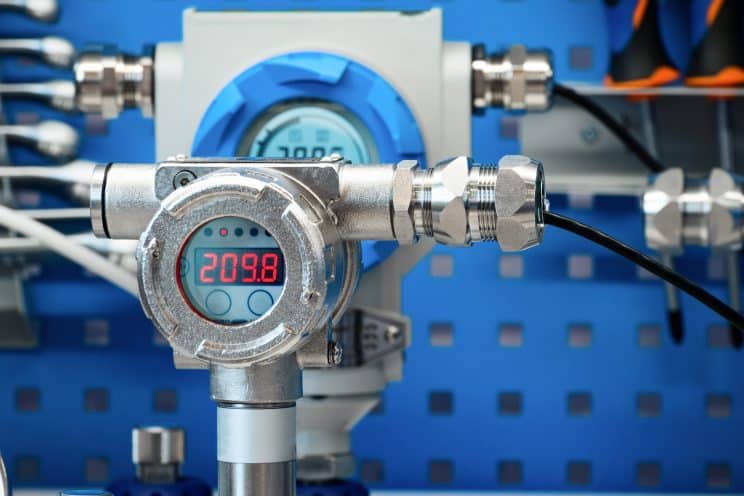
Generally, we assume that preventive maintenance (PM) is a good thing and it will prevent downtime. Of course, that’s true. But, like anything, sometimes it’s more complicated. The first step of a proactive maintenance program is scheduling PMs based on time or usage. Think of your car—change the oil every X months or X,000 miles. CMMS software excels at scheduling PMs. However, it also helps with something else—gathering data. That data also can help maintenance teams take the next step in proactive maintenance—condition-based maintenance. What is Condition-Based Maintenance? Condition-based maintenance is exactly what it sounds like. Maintenance is scheduled based on an asset’s condition. MPulse Condition-Based Maintenance (CBM) feature keeps tabs on the actual state of your critical assets by recording the output of any meters and gauges on that asset. When an asset’s condition changes outside of specified ranges, MPulse lets you know immediately, so you can react before breakdowns happen. Maintenance teams can use CBM information to proactively perform maintenance, as well as even predict asset failures. MPulse CBM includes… The ability to monitor multiple meters (e.g., revolutions, psi, hours) on a single asset The ability to specify multiple conditions, triggers, and responses Automatic work order generation based on specified triggers Data analysis tools to identify potential problems How Can Condition-Based Maintenance Help Me? MPulse’s Condition-Based Maintenance feature to keep tabs on critical assets by recording data from sensors on your assets. You can take manual readings and enter them in MPulse as frequently as you like to evaluate the condition over time or relative to a target level. But you can take it to the next level and connect your assets to a real-time data feed that eliminates manual input and dramatically improves results. (We can recommend low-cost meters and programmable logic controllers (PLCs) and help you connect them to MPulse.) MPulse CBM records all kinds of data, including… Temperature, including infrared readings and thermal imaging. Pressure on equipment with piping or water systems. Oil and lubricant viscosity That’ll make it easier to identify problems before they happen. And preventing outages is always a good thing in this profession. Maintenance based on the true conditions of assets can help save money in… Parts and material costs Labor costs Transportation costs Environmental impact Then you can reallocate those funds to other areas. Time-based preventive maintenance strategies are a standard in our field. But condition-based maintenance can reveal different—and sometimes better—ways to do things. Learn more. Contact us. [related-content]
Are You Prepared for Emergency Management?
Emergency management is a huge part of maintenance. Whether it’s an equipment failure or a natural disaster—your team needs to be prepared. You never think an emergency is going to happen to you. But preparing for the unexpected not only helps during an emergency, it can likely prevent more damage. CMMS for Emergency Management Maintenance professionals are first responders when things go wrong. It’s easier to make good decisions under pressure when you can see how your operations are functioning and where you need to focus your attention. And that’s so much easier with CMMS software. Emergency management requires documentation and planning. CMMS software can help you with every aspect of your emergency management plan, such as… Creating an emergency plan with checklists Defining the roles and responsibilities of each staff person Ensuring safety measures are in place Managing resources, supplies, and personnel Storing documents and other information, including details for insurance purposes Identifying where things are located, including emergency supplies Accessing information remotely. Planning means your team knows what to do when an emergency happens, as well as prevent more damage. Information is power. With CMMS, you can act on the information you’ve gathered when you need it most. [related-content] CMMS for Emergency Recovery CMMS data also is vital during the recovery period—helping your team get things up and running much faster. That includes… Safe storage of critical information Emergency inspection checklists Vendors and contacts Asset and part information The combination of CMMS software and an emergency plan is the best way to prepare for when things go wrong. Don’t wait for a disaster to strike. CMMS software can help you reduce your risk when speed is of the essence. How can you use CMMS software to create an emergency management plan? Contact us. We’re happy to share the secrets we’ve learned over the years.
Improve Maintenance Management Program Efficiency
How do you make your maintenance management program more efficient? Maintenance professionals know that CMMS software is a tool. And while a successful maintenance management requires great software, you also need to well-trained people who know how to use it right—just like any other tool. Implementation services when you implement new software or upgrade are the best way to get off and running quickly. But what if you want to improve efficiency out of an already successful maintenance operation? Make Your Maintenance Management More Efficient It’s always important to start at the beginning. So, the first step should be a needs assessment of your current state. (Read our series on conducting a Needs Assessment.) Then, compare what’s happening now to what you want in the future. That tells you where you want your maintenance department to go. A good place to start is think about the information you don’t have, or you don’t have easily accessible. A few examples from MPulse customers… What are we spending on Asset X? How much time are my techs are spending on specific jobs? Does my team need to have faster access to information? How can I reduce our excess inventory? How long has Equipment Y been out of service during a given time period? Finally, determine what tools you need to go from where you are to where you want to be. By tools, we mean anything your team needs to do their jobs, which may include… Tools and equipment Informational resources Software Training You Don’t Have to Do It Alone If you’re feeling overwhelmed at this point, remember, you don’t have to do it alone. We developed the MPulse Assess, Adjust, and Implement (AAI) program to help you make your maintenance management program more efficient. It includes onsite implementation and training services, giving you hands-on support from our MPulse experts. AAI is for MPulse customers who want to get more out of their implementation. It’s an ideal option for “rebooting” a waning program or finding ways to squeeze more efficiency out of an already successful one. MPulse customers have found the following benefits with AAI… Improved results Optimized processes Renewed focus on maintenance management discipline Identifying new ways to use the full range of MPulse’s robust feature set Expand use of MPulse throughout the enterprise Make your maintenance management program more efficient with implementation and training services to get you where you want to go. Contact us today. We’re here to help.