
Three Lessons for Maintenance Managers from Hurricane Harvey

MPulse customers along the Gulf Coast have experienced one of the worst natural disasters in U.S. history. It’s every maintenance manager’s nightmare—whether you’re managing facilities, manufacturing sites, office buildings… well, basically if you work for any organization that uses equipment or works in a building (i.e., everyone). Even if you’re not in the flood zone, Hurricane Harvey shows us why maintenance managers need to be prepared before catastrophe strikes—whether it’s a natural disaster like a hurricane or a man-made one like an oil or chemical spill. Here’s three lessons from our fellow maintenance managers in the eye of the storm. Lesson 1: Be Prepared The time to prepare is now. Take these key steps before disaster strikes… Have an emergency/disaster plan Define the roles and responsibilities of each staff person Create emergency checklists Review safety measures and inspection processes Plan for supply chain and/or transportation disruptions Modify at-risk areas to improve structural resistance Purchase back-ups to utilities like generators, portable pumps, etc. Keep up on preventive maintenance for grounds and landscaping, drains, gutters, etc. Secure loose items outside and make a back-up plan to store them inside when necessary Lesson 2: Stock Emergency Supplies Just like an emergency supply kit at home, your workplace needs to have key items on hand. The maintenance team will likely be on the frontline during a crisis, so you need to be prepared with a basic emergency kit that includes… First aid kit Flashlights Batteries Water Non-perishable food and can opener Tools to turn off utilities Local maps Cell phone and extra batteries Satellite phone Extra gloves, hand warmers, and blankets NOAA weather radio receiver Lesson 3: Know What You Have and What You Need to Do One of the most important things you’ll need in an emergency is information. Paper records easily become inaccessible (or destroyed) during an emergency. That’s why MPulse customers turn to their CMMS software to… Back up all data to a secure, off-site location Set up secure methods to access data off-site as necessary Maintain a list of equipment and assets Record information about manufacturers, warranties, and insurance policies Keep track of contact information for employees, vendors, emergency response personnel, etc. Support employees on shift during an event Hurricane Harvey shows us all how proactive planning makes a difference when things go wrong. Don’t wait for a disaster to strike to prepare your maintenance team for a crisis. What does your organization do to prepare for emergencies and/or disasters? Contact us.
The Preventive Maintenance Metric You Need to Know
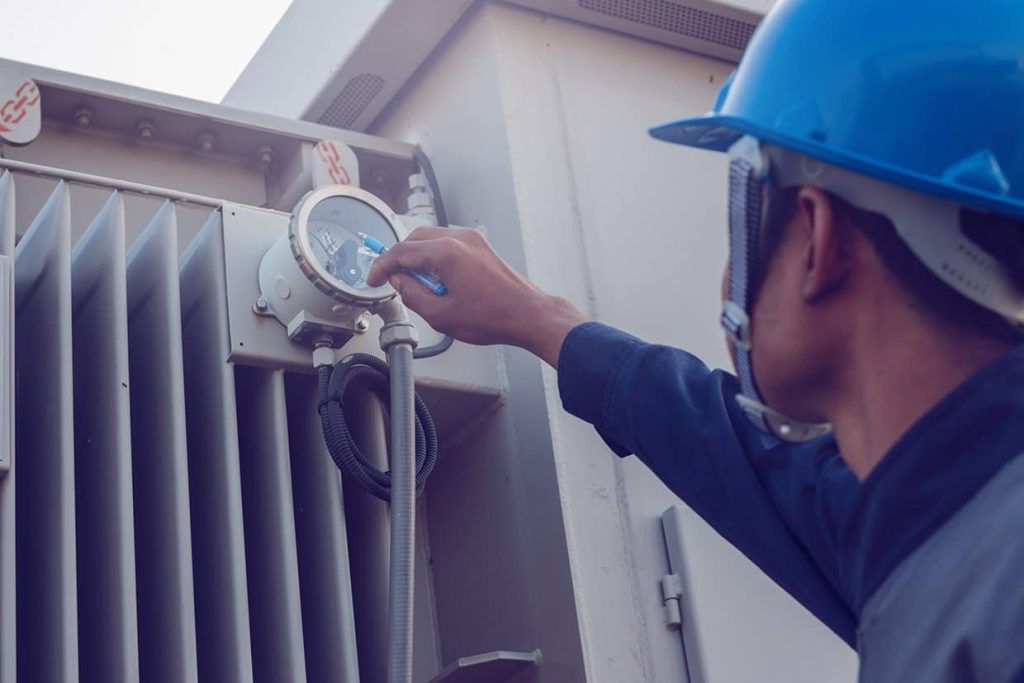
Last time, we shared Matt’s story about getting to a 100% preventive maintenance task completion rate. After he succeeded, however, Matt realized he need more information to get the full picture of his team’s productivity. When he looked at his reports, downtime had decreased, but not as much as he thought it would. With his new MPulse Preventive Maintenance Program, Matt started tracking other data so he could spot issues that may be affecting downtime. Preventive Maintenance Metric: PM Tasks Completed on Time Matt’s original metric simply measured whether or not a PM task was completed. But it didn’t show if that task was completed on time. If Matt’s team completed 50 PM tasks in a month, and 15 of those tasks were completed late (but within the same month), his PM completion rate would be 100%. But downtime could still be an issue. Maintenance benchmarks usually aim for PM tasks to be completed within 10% of the scheduled PM interval. So in Matt’s case, if a monthly PM task was completed within 3 days of the due date, it would be on time. A quarterly PM task should be completed within 9 days of the due date, etc. And you don’t get extra points for doing tasks too early either, because that can be just as problematic. This approach helps the maintenance team keep the scheduled PM intervals consistent, which in turn improves reliability. Calculating PM Completion Statistics Calculating the on time PM Completion metric is simply dividing the number of on-time PM tasks by the total number of PM tasks. So in Matt’s case, if 35 tasks out of 50 were completed on time, his PM Completed on Time rate would be 70%. And that metric does affect the rate of breakdowns. As a simple example, if Matt’s team added lubricate to assets late (or early) 30% of the time, that in turn means those assets may be running inefficiently 30% of the time, which calculates out to about 1.5 out of 5 unexpected breakdowns per month. By using the PM Completed on Time metric and comparing to unexpected breakdowns and costs, Matt could see he needed to make some more adjustments. “We had to prioritize our tasks differently,” he said. “For example, our inspections were typically performed late. Doing them on time would have helped us spot problems before they became more serious.” Matt wanted his PM Completed on Time rate to be closer to 80-90%. Using his MPulse reports, he found unexpected repairs trended downwards as his PM Completed on Time metric moved upwards. “It’s data I didn’t have before,” Matt said. “And I certainly wouldn’t have this information without our CMMS software.” What maintenance metrics do you find helpful? Contact us with questions.
Why Spreadsheets Don’t Cut It Anymore

Maintenance management in the past relied on pencil and paper and/or spreadsheets to track maintenance work. And it worked. But maintenance management has changed. Organizations have discovered maintenance affects the entire operation. And that means they’re paying attention in ways they weren’t in the past. You used to get phone calls when something broke. Now you’re getting phone calls asking for details about your maintenance operations: costs, productivity, inventory turnover, replacement forecasting, etc. That means you need a new approach. As one MPulse customer said, “Our spreadsheets just don’t cut it anymore.” Maintenance Management Has Changed As more organizations move from a reactive maintenance strategy to a proactive one, the focus of maintenance teams has changed too. It starts with preventive maintenance (PM). PM is one of the biggest reasons maintenance managers turn to CMMS software because it simplifies creating PM tasks, automating PM schedules, and building maintenance reports to find areas that need more attention as well as those that are working well. And that’s just the beginning. From inventory control to condition-based maintenance to the Industrial Internet of Things (IIoT), CMMS software helps maintenance managers improve reliability and take their operations to new levels. Technology Has Changed Once computer technology was scarce in the maintenance department. Those days are long over. Now even desktop computer systems are passé and mobile devices are commonly found on the shop floor, at the construction site, or in the plant. And it’s still changing. IIoT devices are opening up new opportunities for monitoring assets and automating data collection. That means maintenance work will shift even more from reactive to preventive… and towards predictive maintenance. CMMS software gives you the information you need to meet the challenges ahead. Workforce Has Changed It’s tough to find the right people with skills we need in the maintenance department. If that wasn’t hard enough, our aging workforce requires rethinking your recruitment strategies. Maintenance managers need to reach out to younger employees, who expect modern technology in the workplace. Emphasize the technical aspects of this career path, and create a professional growth/training program for your maintenance staff. These things are important to younger workers, and they’ll make your positions more appealing. The Future of Maintenance Management So, what does the future of maintenance management look like? It’s going to involve more technology and a stronger push towards data-driven decision making. So maintenance managers need to adapt. Starting now means you’ll be in a good position down the road. Ready to ditch the spreadsheets? Contact us.
Three Big Maintenance Management Mistakes—and How to Avoid Them
Hey, we all make mistakes. The point is not that we make them. It’s what we learned from those mistakes. If you can, however, it’s easier to learn from other people’s mistakes. To help, we’ve shared three of the most common mistakes in maintenance management and offered tips to help you avoid them. 1. Making Decisions Based on Assumptions While there was a time that maintenance managers needed to make assumptions about what worked for their operations, those days are gone. New technology (i.e., CMMS software) and tools make information available for data-driven decision making. Which means your decisions are backed up by hard data, not guesswork. This is particularly helpful when sharing maintenance information with other managers who don’t have hands-on maintenance experience. It’s hard to argue when they can see the facts—and the figures—right in front of them. 2. Skimping on Training No investment pays off as readily as training. Yet many maintenance managers feel they don’t have the time or the budget for training. These days, however, training is available in all kinds of formats that fit all kinds of budgets. While on-site or classroom training may not be realistic for your organization, you have plenty of other options—including online training and mentor programs. Some training programs are just an hour a week. And your investment in training pays off with every work order as your team becomes more efficient. 3. Refusing to Change with the Times Maintenance management has changed rapidly in a short time. And while you might feel like things worked just fine before, staying the course means missed opportunities. Technology has taken the maintenance professional by storm, and it’s not going away. In fact, it’s now a “must have” in maintenance departments. And the type of technology has changed too. Where just 5-10 years ago, you were probably tapping away at a desktop computer or implementing your first CMMS software, now you’ve got a mobile phone or tablet in your hand checking for information while you’re walking around the plant or facility. Take advantage of these technology advances to make your department more productive. Plus, your maintenance team has changed too. Your older employees are retiring. And finding replacements isn’t a simple task. You’ll need to make your maintenance positions appealing to a different generation with a different mindset, particularly because they’ve grown up with technology and are extremely comfortable with it. What maintenance management mistakes have you made? How did you fix them? Contact us.
Five Signs It’s Time to Buy CMMS Software

Have you reached that point where you know your maintenance department needs to do something different? Every maintenance manager does sooner or later. So, how do you know when to update CMMS software programs? To help, we’ve collected the top five signs it’s time to buy CMMS maintenance software. Whether you’re experiencing just one, or (like most of us) more than one, CMMS maintenance software is the answer. Your Needs Have Changed Many new CMMS maintenance customers start here. Whether they’ve used paper, a home-grown database, or Excel spreadsheets, it’s just not working. They need more. Typically work order management and preventive maintenance scheduling are the two biggest areas where your needs change. But it could be a combination of anything—vendor management, service request tracking, reporting capability, inventory control, software integration, etc. You need the right tool for the right job. And in today’s maintenance environment, the right tool is CMMS maintenance software. You Need More Data Maintenance used to fly under the radar, but not anymore. Expectations are changing, and now you’re getting requests for detailed information about your maintenance operations. To answer those questions, you need data—and you need it quickly. Pulling together reports from spreadsheets or (ugh) paperwork orders is time consuming, tedious, and inaccurate. With CMMS software, you’re collecting maintenance data with every work order. So, when it’s time to answer those questions about asset management or repair/replace decisions, you have what you need at your fingertips. You’re Ready to Go Mobile Whether it’s your younger employees who live with their devices or the availability of better Internet access on the road, it’s time to think about mobile CMMS software. Mobile technology allows your team to access information and record data on the spot—where maintenance happens, instead of in a plant or office. That means they have quick and easy access to critical information, making it easier to get the job done and capture historical data. You Need to Integrate with Other Software You need more maintenance data, but so do other departments. Wasting time re-entering and maintaining information in multiple systems is not only inefficient, it’s prone to problems and errors. Integrating your CMMS software and your financial application or accounting system is easier than ever. Data sharing technology (like MPulse DataLink) simplifies the process of sharing information, so everyone gets the data they need quickly and easily. You’re Growing What worked for a maintenance team of two or three techs doesn’t work as that organization grows to 5, 10, 20 or more maintenance employees. Communication is harder, and the old systems just aren’t efficient. Plus, as your organization grows, you’re likely maintaining larger numbers of assets with the same—or even fewer—resources. Older systems aren’t always scalable to adapt to the increase of the operation. But modern CMMS software can. Scalable CMMS software grows with you, so you can adapt quickly. What’s motivating you to buy CMMS software? Leave a comment or contact us.
How to Create Paperless Maintenance Without Errors
Maintenance teams have relied on paper work orders for decades. But times are changing, so you should learn the benefits of using a web based work order system. It’s already happened in other departments as more organizations have adopted software designed for financial and sales tasks. There’s less paperwork around the office because it’s stored—and shared—digitally. Now, the benefits of going paperless are becoming more common in the maintenance world, thanks to CMMS software and its ability to make digital storage easy and more convenient. It’s safe to say paperless maintenance without errors is the future of work orders. New Work Flows Going paperless wasn’t the main goal of Nancy’s maintenance department. But after integrating MPulse Software, Inc two years ago, she realized it was possible… and she was well on her way. Nancy’s CMMS software kept track of all the things that used to be stored on paper somewhere, like a filing cabinet or a bookshelf. This information included work orders, repair history, user manuals, reports, vendor documents, and other key data. “Our service requests are all submitted electronically now via MPulse,” she explained. “The approval process is done in the software. Our techs keep notes and links to manuals and repair guides in MPulse. That’s just the beginning.” Nancy’s team is also working towards mobile integration, something that’s within reality for other maintenance teams, too. “We’re getting closer,” she explained. “I think we’ll be fully mobile within the next year. It’s so much easier for our techs to access work order information, repair history, vendor details, and other information while they’re in the field. It’s been a natural progression.” New Technology One thing that has made this transition possible is the lower costs of digital storage. “We host our MPulse Software, Inc in the cloud,” Nancy said. “That makes it possible for our techs to access it in the field. Plus, our backups and system updates are automated, thanks to MPulse’s Application Hosting Services. I don’t have to worry about it.” Nancy see the benefits of moving towards a paperless maintenance department, including… Reduced need for storage space Less chance of lost or missing documents Lower printing and admin costs Better sharing capability Quicker access to important information Less time spent searching for documents “It was a very natural process after we implement MPulse,” Nancy explained. “We were able to gradually make changes in our workflows because it was more efficient. And a lot of that increased productivity was the result of storing data in one place—our CMMS software.” Are you thinking of going paperless, or moving in that direction? Have you already done it? Leave a comment below or contact us.
How to Build a Solid Working Relationship with Your Purchasing Department
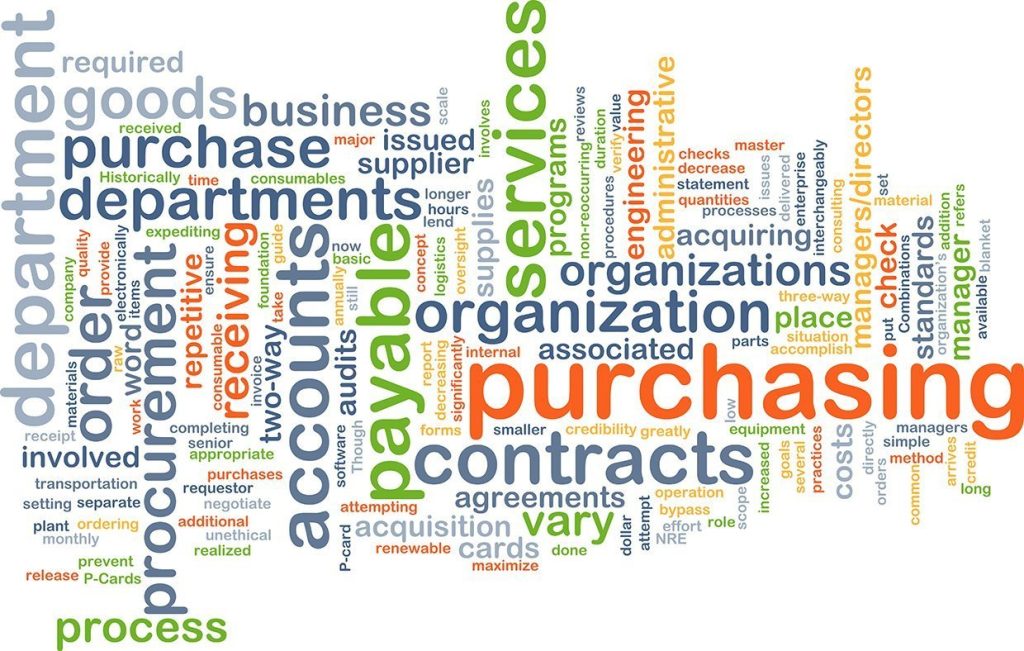
Building strong relationships with the purchasing department is essential for streamlining procurement processes and improving collaboration across teams. Most maintenance managers have their purchasing department on speed dial. Your maintenance crew is constantly ordering parts and supplies—not to mention working on large asset acquisitions. This close contact means these two departments can make each other’s lives easier… or much more complicated. So how can you help your team with relationship building with purchasing department? CMMS software can help you—making maintenance teams and companies more efficient while also following purchasing rules. Let’s see how. First, let’s talk about what each department needs—and wants—from the other. Follow the Rules Purchasing has rules. It’s your purchasing team’s job to make sure those rules are followed. The maintenance team needs to understand those rules, so they can follow them correctly. Let’s look at a typical scenario, courtesy of MPulse customer Anne. Anne’s organization follows the following purchasing rules… Purchases under $200 can be made with petty cash or submitted for employee reimbursement. Purchases over $200 require a purchase order or a company credit card via an authorized employee. Major asset repairs via vendors or purchases over $10,000 require an RFP or competitive solicitation process, unless a cooperative contract has already been established. If a contract is established, the terms of that contract should be followed. Knowing—and following—these rules makes your purchasing folks happier because it makes their job easier. And it makes your maintenance team’s job easier too. Because any delay in the purchasing process means there’s a delay in something getting repaired. And let’s face it—when the pressure’s on, the maintenance department feels the heat. Let Your CMMS Software Help with Relationship Building with Purchasing Department Anne uses her MPulse Software, Inc to make her maintenance team more efficient while also following the rules. CMMS software enables Anne’s team to… Identify supplies and parts that need to be restocked Issue purchase requests Identify parts that have long lead times and reorder as necessary Create custom reports Customize work orders to include purchasing department codes Using MPulse DataLink, Anne’s company integrated MPulse with the purchasing department’s financial software. This extra investment automates the exchange of important information, making both departments more efficient. MPulse DataLink enables Anne’s maintenance department to share data with the purchasing department on… Inventory items (parts, supply items, and/or tools) Purchase requisitioning Purchase receiving Vendor management With MPulse DataLink, both software applications contain the most current and accurate data, making it easier for everyone in CMMS companies to do their jobs. Maintenance and finance are mission-critical business functions for organizations of all sizes, from small business to enterprise. Have questions about how CMMS software can help your maintenance team? Contact us or get a free trial of MPulse Software.
What You Need to Know about Total Productive Maintenance
If you haven’t heard about total productive maintenance (TPM maintenance), the definition probably sounds familiar… “A system of maintaining and improving the integrity of production and quality systems through the machines, equipment, processes, and employees that add business value to an organization.” The long-term goals of TPM are to reduce breakdowns, slowdowns, and defects while improving safety. It’s not a coincidence that those are also the benefits of CMMS software. So how does TPM work? The Eight Pillars of Total Productive Maintenance TPM focuses on proactive and preventative techniques for improving equipment reliability. The eight pillars of TPM are… Focused improvement Autonomous maintenance Planned maintenance Quality maintenance Cost deployment Early equipment management Training and education Safety, health, environment The overall goal of TPM maintenance is, of course, to increase productivity. Sound familiar? That’s the biggest benefit of CMMS software too. CMMS Software and the Industrial Internet of Things (IIoT) Facilitate TPM If you’ve been using CMMS software, you’re likely already on the road to TPM (whether you call it that or not). CMMS software facilitates TPM. One of the biggest pushes in this direction is the Industrial Internet of Things (IIoT). IIoT devices gather information directly from multiple sources—including computers, vehicles, smartphones, appliances, building automation systems, and production equipment. With the combination of the IIoT and CMMS software, maintenance teams can monitor multiple meters (e.g., revolutions, psi, hours) on a single asset; specify multiple conditions, triggers, and responses; and automate work order generation based on specified triggers. The benefits include faster response times with automated alerts, reduced staffing and overtime, fewer errors due to manual data entry, time-series charting to spot trends, and the ability to grow with changing technologies. All of those benefits fit nicely in the TPM maintenance tenets above. It’s likely your team is already working on similar goals, if not all of them. That’s the biggest reason so many maintenance teams implement CMMS software in the first place. Plus, once you focus on one or two of these goals—like planned maintenance (aka preventive maintenance or predictive maintenance)—the others come easier. TPM may sound familiar because it shares elements of other management philosophies like total productive manufacturing or lean manufacturing. It’s also closely related to one of our favorites around here—data-driven decision making. You’ve likely already experienced TPM in one way or another because modern maintenance organizations are employing the same philosophies in their maintenance strategies. What’s your experience with TPM? How is your organization changing the way it does maintenance? Leave a comment or contact us. We’re all in this together.
Avoid Risky MRO Processes with CMMS
Every business decision involves risks. And while risk is part of change, in today’s global economy, not taking risks is… well, risky. Many companies may not even be aware of how risky MRO maintenance repair and operations processes can be. That’s Han’s story. A brand-new MPulse customer, Han convinced his management team that not using software for work order management or CMMS software was simply a risk they couldn’t afford to take. “Managers want to reduce risk,” Han explained. “And they see risk when you want to change things. But there’s risk in not doing anything as well. When I showed them how we could reduce risk with CMMS software, they could see what was really at stake.” What’s at Risk? Just a few months ago, Han’s company used Excel spreadsheets and an Outlook calendar to manage maintenance tasks. “It wasn’t a reliable system,” he said. “And it put our operations at risk.” These risks included… More breakdowns because of inconsistent or nonexistent preventive maintenance scheduling processes Miscommunication and missing information among team members and internal departments Supply interruptions or delays for parts and inventory Greater potential for losses from theft or vandalism Lack of documentation for regulatory inspections and audits Inability to foresee problems and find ways to prevent them Lost opportunity to find cost savings and other financial benefits to improve productivity and efficiency Increased chance of injuries or accidents for employees and customers (not to mention the related legal issues) How Can CMMS Software Reduce Risk? Here’s a simple example. Han’s company owns heavy construction equipment. Some of these assets are used a lot. Some, not so much. And some assets can make or break a project—because if the mobile crane is down, nothing else can take its place. That means expensive delays happen. CMMS software, including software for work order management, helps maintenance teams prioritize high-use assets so the chance of failure is reduced. And that reduces the risk of failure that affects operations. With their MPulse Software, Han and his managers now have information that reduces risk because they can find trends and see their operations more clearly. By streamlining MRO maintenance repair and operations, MPulse Software helps companies eliminate inefficiencies, improve workflows, and strengthen preventive maintenance programs, all while reducing risks. When you consider what you risk by not doing anything, suddenly the risk of investing in new CMMS software is put into perspective. Ready to see how CMMS software, including software for work order management, can optimize your MRO maintenance repair and operations? Contact us.
Maintenance Strategy: Invest in Your People

During my years in the maintenance management field, I’ve learn a lot from watching the management strategies of our MPulse customers. Nick is one of those customers. He has a knack for finding—and keeping—good maintenance employees. Recently I asked him about his secret. “It’s hard to find good people these days,” Nick said. “So when you do, you want to make sure you don’t give them a reason to leave you.” Nick’s strategy for keeping good maintenance techs once he finds them? “My maintenance strategy? Invest in your people” he said. Invest in Maintenance Employees, Invest in Your Bottom Line Nick admits he doesn’t hire based on skill level. Instead, he looks for aptitude and a willingness to learn. “You can teach skills,” he said. “But it’s hard to work with someone who’s not interested in learning.” Once he hires the right people, however, his job has just begun. “Over the years, I’ve learned employees don’t leave jobs, they leave managers,” he said. “It’s my job to help them understand the value of their contributions. I share our big picture goals. I ask for their opinions and their concerns. Cultivating a connection to our company and its mission creates a sense of pride that makes it much more than a job.” Position Your Employees for Success with the Right Tools Part of investing in your maintenance team is making sure they have the right tools to do their jobs. And CMMS software is the best tool you’ve got to keep your maintenance team productive and efficient. Over the years, Nick has watched as CMMS software shifted from a “nice to have” to a “must have” in their maintenance department. “Our younger employees come in assuming this type of technology is part of the job,” he said. “We’ve moved away from technology resistance in the older generations to the expectation that we’ll keep our technology updated.” Nick also believes training is a tool. When he sends team members to off-site trainings, he has them share their experience with other team members, like an in-house apprentice program. “It takes time,” Nick said. “But it pays big dividends in the long run.” Nick is very aware of his team’s ability to affect the financial performance of his organization. He sees professional development as an investment in the future of the entire organization. “Our organization’s success depends on our people,” he said. “Investing in our employees is a strategy to improve everyone’s future.” What’s your strategy for finding and keeping good maintenance employees? Leave a comment below or contact me.